Electronics Display Packaging: Choosing the Right Retail Format for Tech Products
Compare retail display packaging for charging cables, earbuds, adapters and other tech accessories. Learn when to use hanging cartons, counter displays, shelf-ready trays, windows and fitted inserts based on the product and retail fixture.
 Published April 07, 2026
Updated August 19, 2026
12 min read
Published April 07, 2026
Updated August 19, 2026
12 min read
Selling electronics in a store creates a packaging challenge that goes beyond protecting the product. The package also has to work with the shelf, peg hook, counter or display area where customers will actually see it.
Effective electronics display packaging starts with the product and its retail position.
A charging cable hanging from a pegboard has different packaging needs from wireless earbuds displayed on a shelf. Small adapters placed near checkout need a different format from premium smart devices presented inside enclosed display cases.
Before choosing a box, consider:
- Product dimensions and packed weight
- Where the package will be displayed
- Whether the product needs to remain visible
- How customers will identify different models
- Whether accessories need separate compartments
- How the package will hang, stand or stack
- Whether the same product will also be sold online
These decisions help determine whether a hanging carton, window box, counter display, shelf-ready tray or premium presentation box is the better choice.
Match the Packaging to the Retail Display
The retail fixture should be known before the box structure is finalized.
Different store environments place different demands on the package.
| Retail Location | Packaging Direction | Key Consideration |
|---|---|---|
| Peg hook | Hanging carton | Balance and hang strength |
| Retail shelf | Folding or window carton | Front-panel visibility |
| Checkout counter | Counter display | Stability as products are removed |
| Shelf-ready section | Display-ready tray | Fast stocking and product access |
| Premium display | Presentation box | Product organization and access |
| Locked retail case | Compact branded carton | Clear identification |
Designing around the actual display location can prevent common problems such as crooked hanging packages, unstable displays, hidden product information or boxes that use more shelf space than necessary.
Hanging Boxes for Cables, Adapters and Small Accessories
Hanging electronics boxes are a practical choice for compact products displayed from peg hooks or slatwall systems.
They can work well for:
- Charging cables
- USB cables
- Adapters
- Earphones
- Small connectors
- Memory-card accessories
- Screen protectors
- Compact phone accessories
The hanging section should support the complete filled package rather than just the weight of the empty carton.
Product balance also matters.
If a heavy adapter is positioned toward one side of the box, the package may rotate even when the hang slot is centered. The structure should therefore be tested with the actual product inside.
Important information should remain visible while the package is hanging, including details such as connector type, cable length, device compatibility or product model.
Customers should be able to identify the correct accessory without removing several packages from the hook.
Counter Displays for Small Tech Products
A counter display box for electronics can organize multiple packaged products in a compact retail area.
This format is useful for fast-moving accessories such as:
- Charging cables
- Small chargers
- USB accessories
- Adapters
- Batteries
- Memory accessories
- Phone accessories
A good counter display should remain stable throughout its use.
Do not test it only when completely full.
Check the display when it is:
Full → Half Full → Nearly Empty
Removing products changes the weight distribution. A tall header or narrow base that appears stable when loaded may begin to lean or tip as inventory decreases.
The front wall should keep products contained without hiding important information or making the remaining units difficult to remove.
For displays containing several variants, internal dividers can separate products by connector, length, model or color.
Shelf-Ready Packaging for Faster Retail Stocking
Shelf-ready electronics packaging can combine transportation and store presentation.
Several individual products travel inside one outer carton. At the retail location, a removable or perforated section exposes the products so the remaining tray can be placed directly on the shelf.
This format may suit boxed:
- Cables
- Chargers
- Adapters
- Accessories
- Small devices
- Product ranges with multiple variants
The outer structure should be planned around the retailer's available shelf dimensions.
The removable section should open cleanly while leaving enough structure to support the remaining products.
A shelf-ready tray should also continue looking organized after customers remove several units.
If the front panel becomes weak or the remaining products fall sideways halfway through the sales cycle, the display is not working as intended.
Window Boxes When Product Visibility Matters
An electronics box with a window can be useful when customers benefit from seeing the actual item before purchasing it.
A window may help show:
- Connector shape
- Product color
- Cable finish
- Earbud design
- Adapter configuration
- Surface finish
- Included accessory
The window should answer a useful buying question.
For example, showing the connector on an adapter can help a customer confirm the product more quickly. Showing a distinctive earbud finish may help differentiate color variants.
The product must remain aligned behind the opening.
That means the window and internal product support should be developed together rather than designing the opening first and trying to position the product afterward.
The opening should also leave enough material around folds, corners and closures for the carton to maintain its intended structure.
Folding Cartons for Lightweight Electronics Accessories
Paperboard folding cartons can provide an efficient format for many lightweight electronics retail packaging applications.
They offer printable surfaces for:
- Product name
- Brand logo
- Compatibility
- Model information
- Connector type
- Technical specifications
- Instructions
- Barcode
- QR code
Additional features can include windows, hang tabs, retaining tabs and paperboard compartments.
A compact folding carton can be especially useful when the product itself is lightweight and does not require a substantial presentation structure.
Accurate internal sizing is often more valuable than simply using thicker material.
An oversized box can allow small accessories to move around and can occupy unnecessary retail space.
Premium Packaging for Higher-Value Electronics
Higher-value electronics may benefit from packaging that creates a more controlled presentation.
Possible formats include:
- Sleeve-and-tray boxes
- Drawer boxes
- Two-piece boxes
- Rigid presentation boxes
These structures may suit products such as:
- Wireless earbuds
- Smart devices
- Wearables
- Premium adapters
- Gaming accessories
- Technology gift sets
The inside of the package should organize the complete product logically.
For example:
Main device → Charging cable → Adapter → Instructions
Customers should be able to understand the contents and remove each component without disturbing the rest of the package unnecessarily.
Premium presentation does not require an oversized box.
Precise product fit, organized accessories and a well-planned opening can create a stronger presentation than simply increasing box size.
Match the Display Style to the Tech Product
Use the product and retail environment together when selecting the package.
| Product | Practical Packaging Option | Main Priority |
|---|---|---|
| Charging cable | Hanging carton | Connector and length identification |
| Small adapter | Hanging carton | Balance and compatibility |
| Earbuds | Window carton or presentation box | Visibility and accessory organization |
| USB drive | Hanging carton | Compact presentation |
| Screen protector | Flat hanging carton | Printable area and hang strength |
| Wall charger | Shelf or hanging carton | Weight and specification visibility |
| Smartwatch | Presentation box | Device and accessory organization |
| Gaming accessory | Shelf carton or presentation box | Fit and compatibility |
| Small accessory range | Counter display | Product selection |
| Multiple boxed units | Shelf-ready tray | Stocking and shelf organization |
These are starting points rather than fixed rules.
Product size, weight, value, included accessories and retailer requirements should determine the final structure.
Use Inserts Only When the Product Needs Them
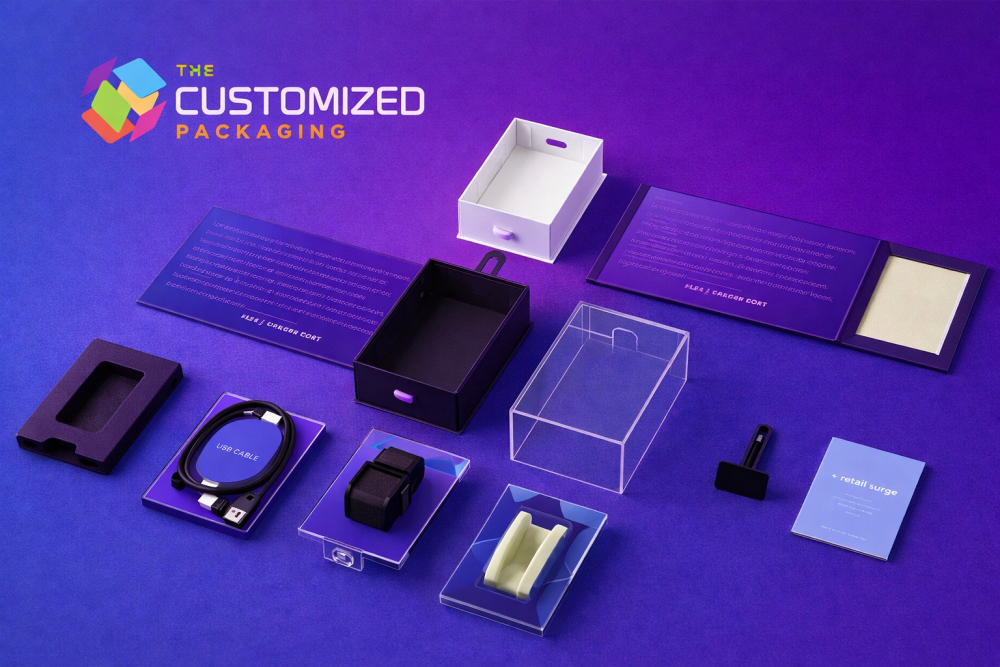
Electronics packaging inserts can keep devices and accessories in their intended positions.
An insert may help separate:
- Main device
- Charging cable
- Adapter
- Plug
- Tool
- Manual
- Spare component
Possible options can include paperboard supports, corrugated partitions, molded pulp and selected foam structures.
Not every electronic accessory needs an insert.
A charging cable packed inside an accurately sized folding carton may only require a simple retaining feature. A premium device with several hard accessories may benefit from separate compartments.
The insert should protect and organize the product without making removal difficult.
Customers should not have to pull aggressively on a device or accessory simply because the cavity is too tight.
Make Product Compatibility Easy to Find
Customers often compare several electronics packages that look almost identical.
The packaging should make the most important differences obvious.
For a charging cable, that may be:
USB-C to USB-C | 6 ft | 100 W
For an adapter, it may be:
USB-C | HDMI | 4K
For another accessory, the most important information may be model compatibility, size or included quantity.
Keep these details in predictable locations across the product range.
Useful front-panel information may include:
- Product type
- Connector
- Compatibility
- Size
- Length
- Power rating
- Quantity
- Model
Secondary information can be placed on the side or back panels.
Color can help separate product variants, but the printed wording should still clearly identify each version.
Plan Barcodes, QR Codes and Security Areas Early
Electronics packages may need several functional areas in addition to branding.
These can include:
- Barcode
- QR code
- Retail security label
- Tamper seal
- Hang slot
- Product window
- Compatibility information
Do not allow all of these elements to compete for the same small panel.
Reserve their positions before the final artwork is approved.
Barcodes and QR codes should remain on suitable readable surfaces rather than crossing folds, windows or heavily decorated areas.
If a retailer has specific security-label or hanging requirements, provide them during structural development rather than after the box has already been designed.
Keep Accessories Away From Sensitive Surfaces
Hard accessories can damage another component even when everything technically fits inside the box.
For example, a plug or adapter should not be free to move against:
- Device screens
- Coated surfaces
- Polished finishes
- Buttons
- Controls
- Delicate connectors
Separate compartments or internal supports can reduce this contact.
The goal is not to create an elaborate interior for every product.
It is to prevent components from interfering with one another during normal handling.
Design for Retail and Online Sales Separately
Many electronics products are sold through both stores and ecommerce.
The branded retail package can remain the same, but the shipping requirements may be different.
A lightweight hanging carton designed for a peg hook may need additional outer protection when shipped directly to a customer.
A premium presentation box may also need protection around corners or decorative surfaces.
The ecommerce package should therefore be planned around the finished retail product rather than assuming the shelf box can handle parcel delivery by itself.
For example:
Tech product → Branded retail box → Protective shipping carton
Use only the packaging layers that the actual product and distribution method require.
Test Packaging on the Actual Fixture
A dieline or digital rendering cannot show whether a retail package will function correctly.
Test a physical sample with the actual product.
For Hanging Packaging
Check:
- Package balance
- Hang strength
- Product visibility
- Customer removal
- Information visibility
For Counter Displays
Check:
- Stability when full
- Stability when nearly empty
- Product access
- Divider performance
- Header position
For Shelf-Ready Packaging
Check:
- Shelf dimensions
- Tear-away opening
- Remaining tray strength
- Product access
- Restocking
For Window Packaging
Check:
- Product alignment
- Viewing area
- Internal movement
- Panel strength
Testing the package in the same position in which customers will see it can reveal problems that are difficult to identify from artwork alone.
What to Provide When Requesting Electronics Display Boxes
The more information you provide at the beginning, the easier it is to develop a suitable custom electronics display box.
Share:
- Product dimensions
- Packed weight
- Product photographs
- Included accessories
- Retail display location
- Preferred orientation
- Units per display
- Window requirement
- Insert requirement
- Retailer specifications
- Printing requirements
- Order quantity
- Delivery destination
If the retailer has supplied shelf, hook or display dimensions, include them as well.
This allows the packaging to be developed around both the product and the space available for it.
Custom Electronics Display Packaging From The Customized Packaging
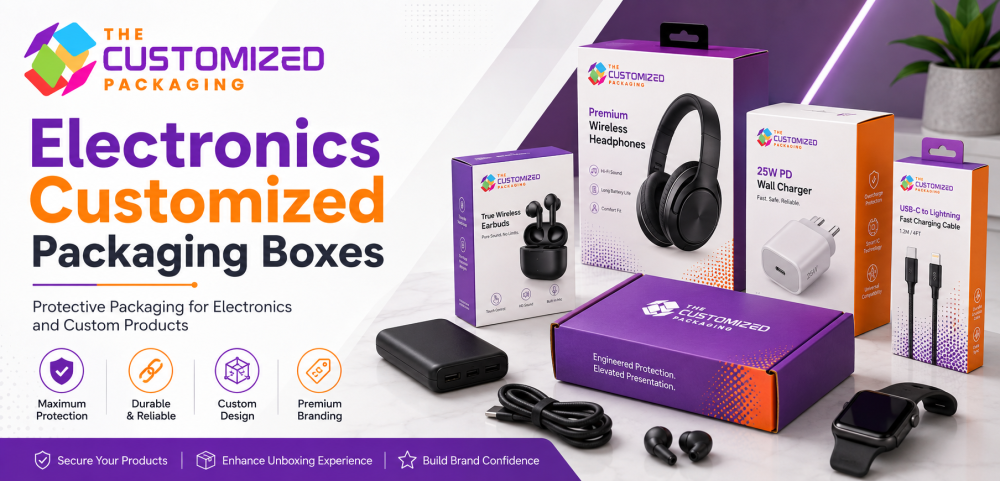
The Customized Packaging creates electronics display packaging for charging cables, adapters, earbuds, chargers, wearable devices, gaming accessories, computer accessories and other technology products.
Available structures can include hanging cartons, window boxes, folding cartons, counter displays, shelf-ready trays, sleeve-and-tray boxes, rigid presentation boxes and custom inserts.
Boxes can be produced around your product dimensions, retail fixture, accessory arrangement, printing requirements and order quantity.
Instead of starting with a generic box size, share the actual product and explain how it will be displayed.
That information makes it possible to develop packaging that fits the product, presents it clearly and works with the intended retail environment.
Frequently Asked Questions
What packaging is best for small electronics accessories?
Hanging cartons, folding cartons, window boxes and counter displays can all work for small electronics. The best option depends on the product weight, retail location, customer visibility needs and how the item will be displayed.
What products work well in hanging electronics boxes?
Charging cables, adapters, earphones, connectors, screen protectors and other lightweight accessories are commonly suited to hanging retail packaging when the filled package can be supported properly.
When should I use a counter display for electronics?
Counter displays are useful when several small products need to remain organized and accessible in a limited retail area such as a checkout counter or service desk.
Are windows useful for electronics packaging?
Yes, when seeing the actual product helps customers confirm details such as connector type, color, shape or finish. The product should remain correctly positioned behind the window.
Do electronics boxes need custom inserts?
Not every product requires an insert. Inserts are useful when they control movement, separate components, organize accessories or prevent hard items from contacting sensitive surfaces.
Can the same electronics box be used for retail and ecommerce?
The branded product box may sometimes serve both sales channels, but parcel delivery may require an additional protective shipping carton or mailer depending on the product and retail package.
What information should I provide for a custom electronics display box quote?
Provide the product dimensions, packed weight, photos, accessories, retail fixture, box orientation, required quantity, printing needs, inserts or windows, retailer requirements and delivery destination.